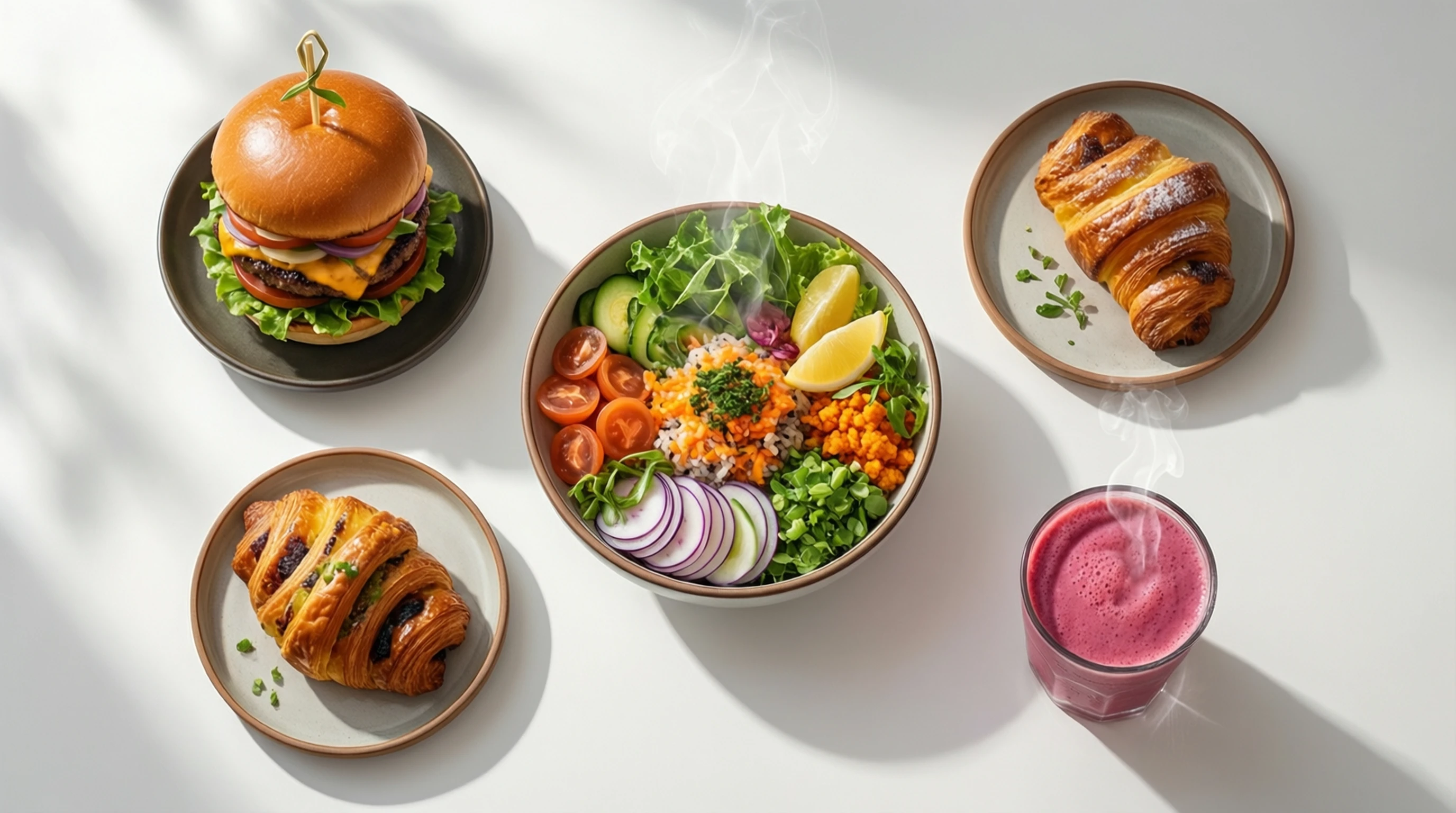
Remove Background for Food Photography: Clean Food Product Images
Remove Background for Food Photography: Clean Food Product Images
Food photography has never been more important. With millions of consumers ordering meals through delivery apps, browsing restaurant menus online, and discovering recipes on social media, the quality of your food images directly impacts whether someone taps "order," walks through your door, or tries your recipe. Yet food photography presents some of the most difficult background removal challenges of any subject category.
Steam rising from a hot dish. Sauce dripping over the edge of a plate. Garnishes extending in unpredictable directions. Irregular shapes that defy clean outlines. These are the realities of food photography, and they make isolating food images from their backgrounds significantly harder than cutting out a product box or a headshot. AI-powered background removal has advanced to the point where it handles these challenges remarkably well, opening up new possibilities for restaurants, food brands, delivery platforms, and content creators.
Why Food Businesses Need Background Removal
The food industry operates across more visual platforms than almost any other sector. Each platform has different requirements, different audience expectations, and different technical specifications. Background removal gives food businesses the flexibility to create a single high-quality photo and adapt it for every use case.
Delivery App Menus
Platforms like UberEats, DoorDash, Grubhub, and Deliveroo display menu items in tight grid layouts where every pixel counts. Research from these platforms consistently shows that menu items with clean, professional photos receive 30% to 50% more orders than items with no photo or poor-quality images.
Most delivery apps display food images as small thumbnails on mobile devices. A cluttered background, such as a busy table setting, patterned plate, or visible kitchen equipment, turns into visual noise at thumbnail size. A clean background ensures the food itself is the only thing the viewer sees.
Restaurant Websites
Your website is often the first impression a potential diner has of your restaurant. A gallery of food images with inconsistent backgrounds (some on the restaurant table, some in the kitchen, some on a photographer's set) looks disjointed and unprofessional. Background removal enables a consistent, polished presentation across your entire menu.
Food Brand Packaging
Food product brands need clean, isolated images of their products for packaging design, retail shelf talkers, advertising materials, and e-commerce listings. A jar of sauce, a bag of snacks, or a bottle of olive oil needs to be photographed once and then placed on dozens of different backgrounds for different retail and marketing contexts.
Recipe Blogs and Social Media
Food bloggers and content creators use background removal to create consistent visual branding across their recipe posts. A signature background color or style applied to clean food cutouts makes their content instantly recognizable in crowded social feeds.
Unique Challenges of Food Photography Background Removal
Food is one of the hardest subjects to isolate cleanly. Understanding why helps you get better results.
Steam and Vapor
Hot dishes produce visible steam that sits between the food and the background. AI models handle solid edges well, but semi-transparent steam creates ambiguity about where the food ends and the background begins. The best results come from photographing hot foods from an angle that minimizes visible steam, or allowing the dish to cool slightly before the hero shot.
Sauce Drips and Spills
A burger with cheese dripping down the sides, a pancake stack with syrup cascading over the edges, or pasta with sauce that extends beyond the plate rim all create irregular, semi-transparent edges. These are visually appealing in the photo but technically challenging for edge detection. AI handles these far better than manual tools, but starting with a clean plate edge produces the most reliable cutouts.
Irregular Shapes and Garnishes
A sprig of rosemary extending 3 inches beyond a plate, scattered crumbs, or a decorative sauce swirl that trails off the edge of the dish creates irregular outlines that are hard to define. The AI needs to decide what belongs to the food subject and what belongs to the background.
Translucent and Reflective Elements
Glass containers, clear broth, translucent sliced vegetables, ice in drinks, and glossy sauces all have semi-transparent or reflective properties that make clean separation difficult. Proper lighting that minimizes reflections helps the AI produce cleaner results.
Shadows on Plates
Food photography relies heavily on directional lighting to create depth and texture, but this produces shadows that can either help or hinder background removal. Hard shadows under a plate often get included in the cutout if the contrast is not strong enough between shadow and background.
How to Remove Backgrounds from Food Photos Step by Step
Follow this workflow to get the best possible results from your food photography.
Step 1: Photograph with Removal in Mind
Set up your food on a clean, solid-colored surface that contrasts with the dish and plate. A white plate on a dark surface or a dark bowl on a light surface gives the AI the strongest edge to work with. Keep garnishes within the plate boundary if possible. Use diffused lighting to minimize harsh shadows under the plate.
Step 2: Upload Your Food Photo
Visit Remove-Backgrounds.net and upload your food image. The AI analyzes the composition, identifies the food subject (including the plate or container), and separates it from the background. Processing takes just a few seconds.
Step 3: Review Edge Quality
Pay special attention to:
- The plate or bowl rim (should be crisp and complete)
- Any garnishes that extend beyond the plate
- Sauce or liquid that drips over edges
- The shadow area beneath the plate (check if you want it included or removed)
Step 4: Download and Adapt
Download the transparent PNG and place it on the appropriate background for your use case: white for e-commerce and packaging, branded colors for your website, or platform-specific backgrounds for delivery apps.
Step 5: Optimize for Each Platform
Resize and export for each destination:
- UberEats: 1200 x 800 pixels minimum, JPEG recommended
- DoorDash: 1920 x 1080 pixels for best display, JPEG or PNG
- Website menus: Consistent square or 4:3 aspect ratio across all dishes
- Packaging design: Highest resolution available, transparent PNG for designers
- Social media: Platform-specific sizes (1080 x 1080 for Instagram feed, 1080 x 1920 for Stories)
Platform-Specific Requirements and Tips
Each platform where food images appear has different expectations. Here is what you need to know.
Delivery Apps (UberEats, DoorDash, Grubhub)
- Image quality directly correlates with order volume. Restaurants that add professional photos to all menu items see significant order increases.
- Use consistent backgrounds across your entire menu so it looks cohesive when a customer scrolls through your offerings.
- Overhead (flat-lay) shots work best for most dishes because they show the full plate contents clearly at small sizes.
- Avoid dark or overly stylized photos. Delivery app interfaces have white or light backgrounds, and your food images need to look appetizing within that context.
Restaurant Websites
- Use large, high-resolution images that can be viewed in detail. Web visitors expect to zoom in and inspect dishes.
- Maintain a consistent visual style across all menu pages. Background removal lets you re-shoot dishes at different times while maintaining a unified look.
- Include both isolated product shots (for menus and ordering pages) and lifestyle shots (for the homepage and ambiance sections).
Food Brand E-commerce
- Follow the same principles as general product photography: white or neutral backgrounds for the primary listing image.
- Show the product from multiple angles: front label, back label, nutrition panel, product detail, and lifestyle context.
- For Amazon and grocery e-commerce, follow marketplace-specific image requirements (white background, minimum resolution, product fill percentage).
Recipe Blogs and Pinterest
- Vertical images (2:3 ratio) perform best on Pinterest, which is a major traffic source for recipe content.
- Use background removal to maintain a consistent visual brand across dozens or hundreds of recipe posts.
- Clean food cutouts on branded backgrounds create immediately recognizable content that drives higher click-through rates from social platforms.
Tips for Photographing Food for Best AI Results
These practical tips will help you capture food photos that produce the cleanest possible cutouts.
- Use a solid, contrasting surface. Avoid patterned tablecloths, wooden cutting boards with prominent grain, or surfaces that are similar in color to the food or plate.
- Diffuse your light. Harsh, direct light creates strong shadows under plates that complicate edge detection. Diffused natural light or a softbox produces the most even, clean illumination.
- Contain the food. Keep sauces, crumbs, and garnishes on or very close to the plate. Scattered elements far from the main dish may be treated as background and removed.
- Shoot from above for flat items. Pizzas, salads, grain bowls, and plated dishes photograph best from directly overhead. This angle gives the AI a clear, defined plate outline.
- Shoot at a 30-45 degree angle for tall items. Burgers, layered cakes, tall drinks, and stacked foods need an angled perspective to show their height and layers. This angle creates more complex outlines but AI handles it well.
- Let hot food cool briefly before the hero shot. A few minutes of cooling reduces visible steam without significantly affecting the food's appearance. Capture the steaming shot separately if you want it for lifestyle use.
- Wipe the plate rim clean. Sauce smudges, crumbs, and drips on the rim of the plate create messy edges in the cutout. A quick wipe with a damp towel takes seconds and significantly improves results.
- Use plates that contrast with the background surface. A white plate on a white surface forces the AI to find a very subtle edge. A white plate on a dark slate surface gives it a clear, obvious boundary.
Frequently Asked Questions
Can AI handle food photos with steam or smoke?
AI handles food photos with moderate steam quite well, though results vary depending on how prominent the steam is. Light, wispy steam near the food is usually preserved as part of the subject, while heavy steam that obscures the background boundary may be partially removed. For the best results, photograph hot dishes from an angle where steam rises away from the camera rather than obscuring the plate edges. You can also take a hero shot after allowing the food to cool for a minute or two, then use a separate steaming shot for lifestyle contexts.
What about food on cutting boards or platters with irregular shapes?
The AI treats the food and its container (plate, cutting board, platter, bowl) as a single subject and removes everything else. Irregular-shaped containers like wooden cutting boards, slate platters, or banana leaf plates are handled well as long as they contrast with the background surface. The cutout will follow the container's natural outline.
How do delivery apps like UberEats and DoorDash use background-removed food images?
Most delivery platforms display food images as thumbnails in a menu grid. Clean, background-removed images placed on white or light backgrounds stand out significantly in these grids. Some platforms offer photo upload guidelines that explicitly recommend clean backgrounds. UberEats, for example, states that well-lit, uncluttered food photography drives higher order rates. You can upload your background-removed images directly to your restaurant's menu management portal on each platform.
Should I include the plate in the cutout or just the food?
In most cases, include the plate, bowl, or container. The vessel is part of the food presentation and helps viewers understand what they are ordering. Removing just the background while keeping the plate gives the image a complete, professional look. The exception is food product photography (a bag of chips, a jar of sauce) where the product itself is the subject and no plate is involved.
What resolution should my food photos be for the best results?
Start with the highest resolution your camera or smartphone can produce. Most modern phones capture images at 12 megapixels or higher, which is more than sufficient. For delivery apps, you will downscale to around 1200 x 800 or 1920 x 1080 pixels. For packaging design and print materials, you want the original high-resolution file. Processing at higher resolution gives the AI more pixel information to work with, which produces cleaner edges, especially around fine details like herb garnishes and sauce drips.
Make Your Food Photos Work Harder
Every food photo you take has the potential to drive orders, attract diners, sell products, and build your brand. Background removal unlocks that potential by freeing your food images from whatever surface or setting they were originally photographed on. A single clean cutout can serve your delivery app menu, restaurant website, social media accounts, printed menu, and packaging design, all from one photo session.
Stop re-shooting dishes for every platform. Stop living with inconsistent menu photos that make your food look less appetizing than it is. Upload your food photos, get professional cutouts in seconds, and put your best dish forward everywhere.