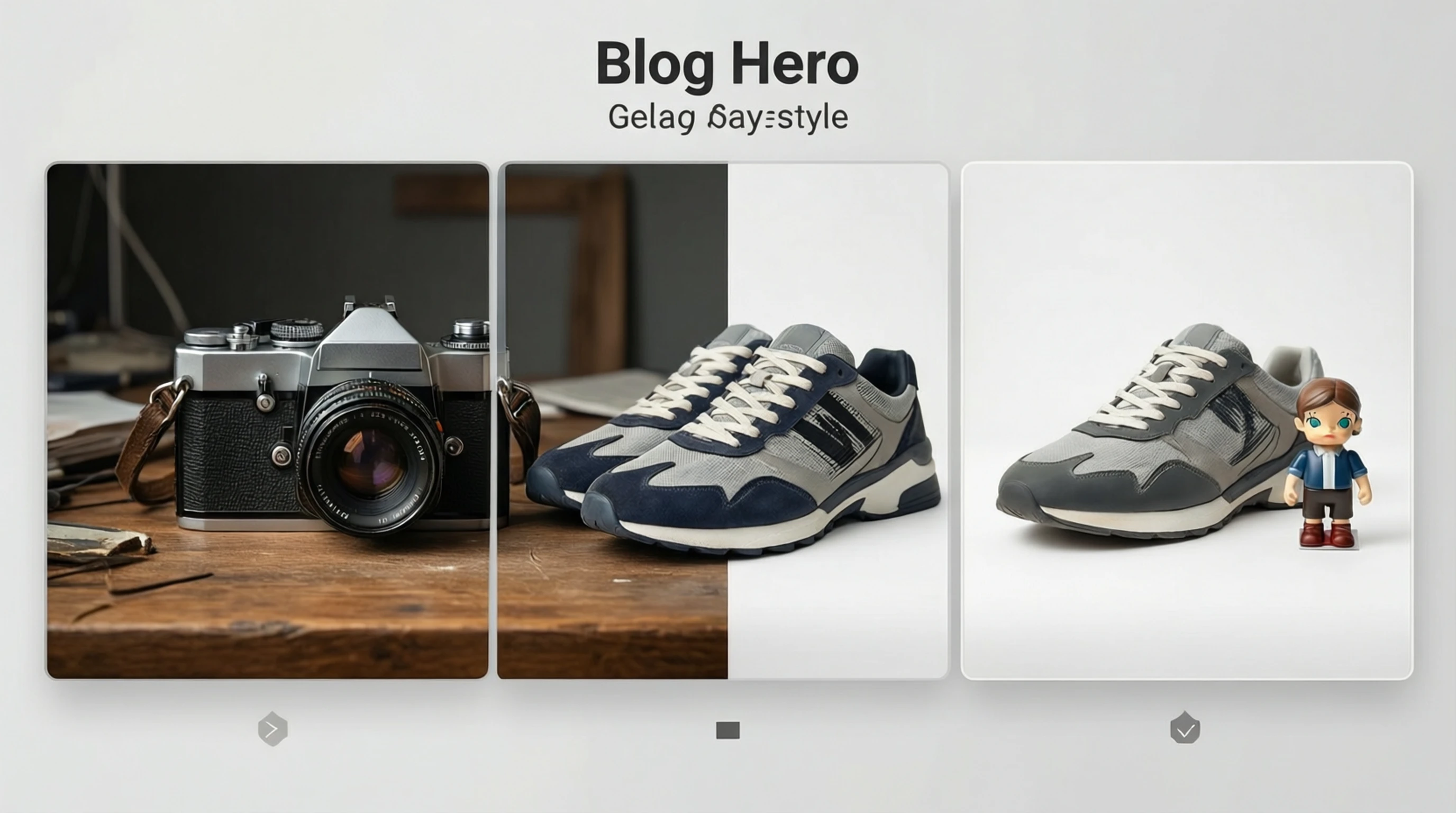
Remove Background for eBay Listings: Sell Faster with Clean Photos
Remove Background for eBay Listings: Sell Faster with Clean Photos
If you sell on eBay, your product photos are the first thing buyers notice and the last thing they remember before clicking "Buy It Now." Listings with clean, professional images consistently outperform those with cluttered, distracting backgrounds. Yet many sellers still upload photos taken on kitchen counters, rumpled bedsheets, or garage floors, and then wonder why their items sit unsold for weeks.
The fix is straightforward: remove the background from your product photos and replace it with a clean white or neutral surface. This single change can dramatically improve how your listing appears in search results, how buyers perceive your item's value, and how quickly it sells. In this guide, you will learn exactly how eBay's image standards work, why clean backgrounds matter for your bottom line, and how to process your photos in seconds using AI-powered tools.
Why Clean Backgrounds Matter on eBay
eBay is a marketplace built on trust. Buyers cannot physically inspect your item, so they rely entirely on your photos to judge condition, quality, and authenticity. A cluttered or messy background sends subtle but powerful signals: this seller is not serious, this item might not be as described, this listing feels risky.
Clean backgrounds eliminate those doubts. When a buyer sees a product isolated against a crisp white surface, the item looks professional, trustworthy, and worth the asking price. The data backs this up. Sellers who switch from casual smartphone snapshots to clean background images report 15% to 30% higher sell-through rates and faster time-to-sale.
Beyond buyer perception, eBay's search algorithm factors image quality into listing visibility. Listings with clear, well-lit photos on neutral backgrounds tend to rank higher in Cassini, eBay's search engine. Poor-quality images can push your listing further down the results page, where fewer buyers will ever see it.
eBay Image Requirements and Best Practices
eBay has specific image standards that every seller should know. Meeting these requirements is the baseline; exceeding them is what separates top-performing listings from the rest.
Minimum Technical Requirements
- Minimum resolution: 500 pixels on the longest side. However, eBay strongly recommends 1600 pixels or more to enable the zoom feature that buyers rely on.
- Accepted formats: JPEG, PNG, GIF, BMP, and TIFF.
- Maximum file size: 12 MB per image.
- Number of images: Up to 24 photos per listing (use as many as possible).
- No borders, text overlays, or watermarks on the primary image.
Background Recommendations
While eBay does not enforce a strict white-background-only policy like Amazon, their official seller guidelines strongly recommend white or light neutral backgrounds for the main listing photo. Here is why:
- Search result thumbnails are small. A clean background makes your product stand out in a grid of competing listings.
- eBay's Best Match algorithm considers listing quality signals, and image quality is one of them.
- Mobile shoppers (over 60% of eBay traffic) see even smaller thumbnails. Clutter in the background becomes visual noise that obscures the product.
- eBay Promoted Listings perform better with clean imagery because the ads compete directly against other sellers' photos.
Category-Specific Considerations
Different eBay categories have different buyer expectations:
- Electronics: Buyers want to see every port, button, and scratch. A clean background makes condition assessment easy and reduces "not as described" claims.
- Clothing and apparel: Flat-lay on white or photos on a dress form with the background removed. Buyers need to see fabric texture, color accuracy, and cut without distractions.
- Collectibles and trading cards: Condition is everything. A plain background lets buyers zoom in on edges, corners, and surfaces to assess grade.
- Home and garden: Large items benefit from both a clean primary image and a secondary lifestyle shot showing scale.
- Auto parts: Precise part identification matters. A clean background with multiple angles prevents returns caused by buyers ordering the wrong part.
How to Remove Backgrounds for eBay Listings Step by Step
You do not need Photoshop skills or expensive software to create professional eBay photos. Here is the exact workflow that high-volume sellers use.
Step 1: Photograph Your Product
Place your item on any clean, contrasting surface. Natural window light works best, but a simple desk lamp with a white sheet as a diffuser is perfectly adequate. Shoot from multiple angles: front, back, sides, top-down, and any detail shots showing condition or features. Use your smartphone's highest resolution setting.
Step 2: Upload to an AI Background Removal Tool
Go to Remove-Backgrounds.net and upload your product photo. The AI analyzes the image and separates the product from the background in seconds, handling complex edges like cables, fabric folds, and transparent components automatically.
Step 3: Download the Clean Result
Download your image as a transparent PNG. This gives you maximum flexibility: you can place the product on a pure white background, a light gray surface, or any color that suits your listing strategy.
Step 4: Add Your Final Background
For most eBay listings, place the cutout on a pure white canvas (hex #FFFFFF). If you sell in categories where lifestyle context helps (furniture, home decor), use the clean cutout as your primary image and include styled secondary photos.
Step 5: Resize and Optimize
Resize your images to at least 1600 pixels on the longest side. Save as JPEG at 85-90% quality for the best balance of file size and visual clarity. Name your files descriptively for your own organization.
Step 6: Upload to Your eBay Listing
Add your processed images to the listing. Place the cleanest, most representative photo first since this becomes the search result thumbnail. Fill as many of the 24 available image slots as possible with different angles and detail shots.
Tips for Better eBay Product Photos
These practical tips will help you get the best results from background removal and improve your overall listing quality.
- Shoot against a contrasting surface. If your product is white, photograph it on a dark background. If it is dark, use a light surface. This gives the AI a clear edge to work with and produces cleaner cutouts.
- Clean your product before photographing. Dust, fingerprints, and smudges become highly visible on a clean background. A quick wipe-down takes seconds but makes a noticeable difference.
- Use consistent lighting across all photos. Consistent color temperature ensures your product looks the same in every image. Mixed lighting (warm lamp plus cool window) creates color casts that look unprofessional.
- Show scale. For items where size might be unclear, include a photo with a common reference object (coin, ruler, hand) in one of your secondary image slots.
- Process all your images in one session. Batch processing ensures visual consistency across your listing. Upload all angles at once rather than processing them on different days with different settings.
- Do not over-edit. Buyers want to see accurate representations of the item. Enhance brightness and contrast slightly if needed, but avoid heavy filters or color manipulation that misrepresent condition.
- Include imperfections honestly. For used items, show scratches, wear marks, and defects on the clean background. This builds trust and prevents returns.
Frequently Asked Questions
Does eBay require a white background for listing photos?
eBay does not strictly mandate white backgrounds the way Amazon does. However, eBay's official seller guidelines strongly recommend white or neutral backgrounds for main listing images. Listings with clean backgrounds consistently rank better in search results and receive more clicks. For the best results, use a white background for your primary photo and include lifestyle or detail shots in secondary image slots.
How many photos should I include in an eBay listing?
Use as many of the 24 available image slots as practical. At minimum, include 5 to 8 photos covering the front, back, sides, important details, and any flaws or wear marks. Research shows that listings with more photos sell faster and receive fewer returns because buyers have enough visual information to make confident purchase decisions.
Will removing the background make my used items look too "new" or misleading?
No, background removal simply eliminates the distracting environment around your product. The item itself, including any scratches, dents, wear marks, or patina, remains completely visible and unaltered. In fact, imperfections are often more visible on a clean white background, which actually helps set accurate buyer expectations and reduces "not as described" disputes.
Can I use the same background-removed photos on eBay and other marketplaces?
Yes, transparent PNG cutouts are extremely versatile. You can place them on a pure white background for eBay and Amazon, on a styled background for your Shopify store, or on colored backgrounds for social media promotions. Creating one clean cutout gives you the flexibility to generate multiple versions for different platforms without re-photographing the item.
How do I handle products with complex shapes like jewelry chains or electronics with cables?
AI background removal tools like Remove-Backgrounds.net are trained on millions of images and handle complex edges, fine chains, thin cables, and intricate shapes with high accuracy. For the best results, photograph these items against a strongly contrasting background and ensure good lighting so the AI can clearly distinguish the product from its surroundings.
Start Selling Faster on eBay with Professional Photos
Clean product photography is the single highest-return investment you can make as an eBay seller. It costs nothing but a few minutes of your time, and the impact on sell-through rates, buyer trust, and search visibility is immediate and measurable.
Stop losing sales to messy backgrounds. Upload your eBay product photos to Remove-Backgrounds.net, get clean cutouts in seconds, and start listing with the kind of professional images that make buyers click "Buy It Now" without hesitation.